Partial Payments on myScotlandCounty
Scotland County property tax bills can be paid in full or in part on myScotlandCounty. As you go through the process of making your payment (see Pay a Property Tax Bill on myScotlandCounty), you will have the option to enter a partial amount.
To make a partial payment follow the steps below:
-
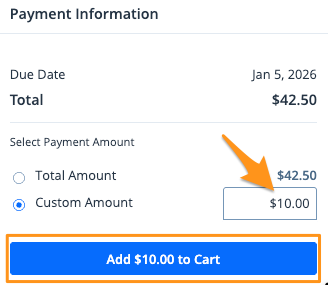
Select the bill you wish to pay and choose Custom Amount

-
Enter your partial payment amount then click Add $--.-- to Cart
- On the cart notification, click Checkout

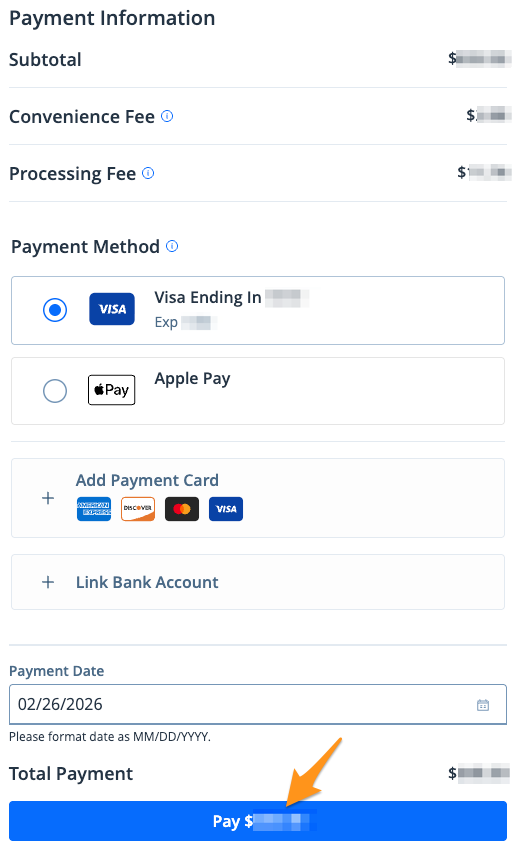
- Select a payment method, select a "Payment Date", then click the blue Pay $--.-- button to complete your payment
After completing your payment, you will receive an email confirmation. If you are signed into your myScotlandCounty profile, a receipt will also be stored in the "Payment History" section of your profile (see Find a Receipt on myScotlandCounty).